In short
- Your Business Profile is the free listing that shows your business in Google Search and Google Maps.
- People can call you, get directions and read your reviews straight from it, often without visiting your website.
- Google uses it to decide which local businesses to show, so a complete, accurate profile is one of the most useful things you can have.
What a Business Profile is
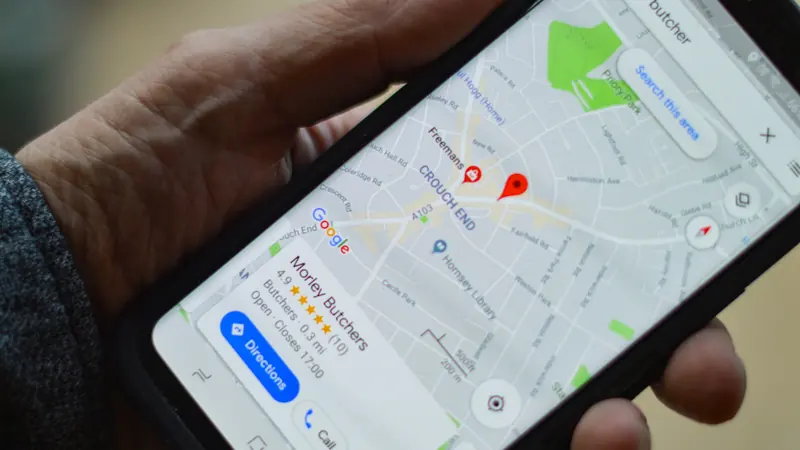
A Google Business Profile is the panel with your name, hours, phone number, photos and reviews that appears when someone searches for your business, and the listing they see on Google Maps. It used to be called Google My Business. It's free, and you manage it from your Google account.
If you've never set one up, there may already be a basic listing for your business that Google created from information around the web. You can claim it and take control of what it says.
Why it matters more than you think
It's often the first thing people see
Search for something like “plumber near me” and Google usually shows a map with a short list of local businesses before the regular results. Those listings come from Business Profiles. From there, people can call, get directions, check your hours and read reviews in a couple of taps, so for many customers your profile does the job your website used to.
It feeds Google Maps
When someone searches in Google Maps, they're looking at Business Profiles. If yours is missing, thin or out of date, you're easy to skip.
It shows up in AI answers too
Google says its AI answers, like AI Overviews and AI Mode, can include information about local businesses, and that a Business Profile can help you show up in them as well as in regular search results. Other AI tools also pick up details about you from around the web. An accurate profile gives them correct facts to work from.
Wrong details cost you customers
Old hours or a disconnected phone number can send a customer to a competitor. Anyone can suggest an edit to a business listing on Google, and Google sometimes applies changes it believes are correct, so it's worth checking your profile now and then even if you haven't changed anything.
How Google decides which businesses to show
Google says its local results are based mainly on three things:
- Relevance: how well your profile matches what the person searched for.
- Distance: how far you are from the person searching, or from the place they named.
- Prominence: how well known your business is. Google says this draws on information from across the web, like links, articles and directories, and that your review count and rating play a part.
You can't change where your customers are. You can make your profile complete and accurate, which helps with relevance, and you can build up reviews and mentions over time, which helps with prominence.
A checklist for getting it right
- Claim and verify your profile. Search for your business on Google or go to Google Business Profile Manager. Google will ask you to prove you run the business. The method varies by business, and can include a phone call or text, an email, a short video or a postcard.
- Choose the most specific primary category. “Emergency plumber” or “bathroom remodeler” tells Google more than “contractor”. You can add a few secondary categories for other work you do.
- Use your real business name. Don't add towns or keywords that aren't part of your actual name. It's against Google's guidelines and can get a profile suspended.
- Set your address or service area correctly. If customers come to you, show your address. If you go to them and don't serve customers at your address, hide it and set the area you cover instead.
- Keep your hours current, including special hours for holidays and closures.
- Add your services and a short description. Say what you do and where, in the words your customers use.
- Add real photos. Your storefront, your vehicles, your team and your finished work help people recognize you and trust you. Swap in new ones every so often.
- Link to the right page on your website, and make sure your name, phone number and hours match what your website says.
Reviews: ask, and always reply
Reviews are one of the first things people read, and Google's own tips say that high-quality, positive reviews can help your visibility. A few habits make a big difference:
- Ask happy customers. Your profile gives you a short review link you can text or email after a job.
- Reply to reviews, good and bad. A short thank you is enough for good ones. For a bad one, stay calm, keep it brief and offer to sort it out offline. Future customers read your replies too.
- Never buy reviews or offer something in return for them. Google's policies don't allow it, and it can get reviews removed or your profile restricted.
Make your website and profile agree
Your profile and your website should back each other up. Use the same business name, phone number, address and hours on both, and link from your profile to your site. Adding structured data to your website helps too. It labels the same details in code so search engines and AI tools can match your site to your listing. Our free schema generator writes that code for you.
For more on how your listings fit into AI search, see our post on what AEO is and why AI answers matter.
Want a second pair of eyes?
In a free 20-minute phone call, we look at your Business Profile and website together, then walk you through the 3 fixes we'd make first. No obligation.
Get my free reviewWant more of our posts in your Google results? Google says it shows more from the sources you pick in Top Stories.