In short
- Weekly: make sure the facts are right (hours, phone, offers) and that your contact form works.
- Monthly: run updates and backups, test the site on your phone, and add something fresh.
- Yearly: review every page, your photos, your pricing language and your search listings.
- A stale site shows old dates, broken links, missing services and slow, clunky pages.
The honest answer
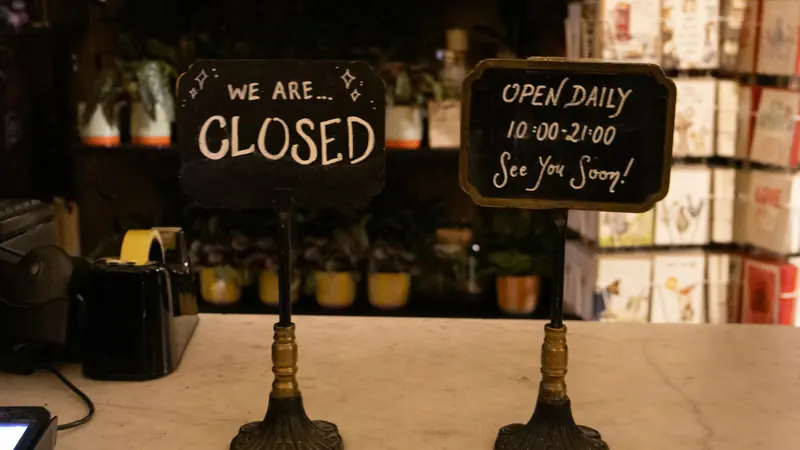
There is no magic number. A website is not a blog you owe a post every Tuesday. It is more like your storefront. You don't repaint it every week, but you do open the door, flip the sign and sweep the step.
So think in three layers:
- Things that must always be true. Hours, phone number, address, services, the form that sends you leads. Check these often.
- Things that quietly break. Software, plugins, security certificates, links. Check these on a schedule.
- Things that go out of date. Photos, wording, offers, the "About" page. Review these once a year.
The first two are the ones that get forgotten.
What to check every week
This takes about as long as a cup of coffee. Do it on Monday morning.
- Hours and holiday hours. If you're a salon or restaurant, a wrong closing time costs you walk-ins and reviews. Fix it on your site and on your Google listing too.
- Your contact form. Fill it out yourself. Did the email arrive? Forms break more often than owners expect, and you never hear about the leads you lost.
- Your phone number. Tap it on your phone. Does it call you?
- Current offers. A contractor still advertising a spring special in November looks careless. Take it down or change it.
- New work. Added a finished kitchen, a new smile case with permission, or a new menu item? Put a photo up while it's fresh.
If you only do one thing, do the contact form test. A site that looks fine but sends leads nowhere is worse than no site.
What to do every month
Once a month, set aside a bit longer. Here is the list.
Keep the software current
Many small business sites run on software that gets updates, including security fixes. Skipped updates are one of the main ways small sites get hacked or start acting strangely. If you have no idea whether your site is being updated, that is your answer. Nobody is doing it.
Check that backups exist
A backup is a saved copy of your whole site. If something breaks, you roll back. Confirm one was made recently, and that someone has actually tested restoring it.
Look at it on your phone
Many local searches happen on a phone. Open your site there. Is the text readable? Does the menu work? Does anything jump around while loading? Try it on slow mobile data, not just your office Wi-Fi.
Click your own links
Click through your main pages and buttons. Broken links happen when you rename a page or a partner deletes theirs. A "page not found" message looks bad to a customer and tells search engines the site isn't looked after.
Add something fresh
It doesn't need to be a long article. A new project photo, a seasonal service note, or an answer to a question a customer asked this week all count. An HVAC company might add a short note about getting the furnace checked before cold weather. That is useful to a reader, and it shows the site is alive.
Peek at your Google listing
Your Google Business Profile is the card people see on Google and Maps. Make sure its hours, photos and website link match your site.
What to do every year
Once a year, review the whole site as if you were a new customer. Block out an afternoon.
- Read every page out loud. You'll catch old staff names, retired services and prices or terms that no longer apply.
- Replace dated photos. Stock photos and shots from a former location or old storefront make people wonder if you're still open.
- Check your security certificate. This is the small lock icon behind the "https" in your web address. It has to be renewed, and an expired one throws up a scary warning in the browser. Our guide on what an SSL certificate is explains it.
- Review your search listing. See how your pages appear in results. Our Google search preview tool shows the title and description people see.
- Check your business details in code. Local business schema is a block of hidden data that tells search engines your name, address and hours. If anything changed, our schema generator can help you rebuild it.
- Check AI access. Some sites accidentally block AI tools from reading them. The AI crawler check tells you whether yours does. For background, see what AEO is.
- Ask whether the site still does its job. If the point is phone calls, is the number at the top? If traffic is coming but calls aren't, read website getting traffic but no calls.
Signs your website has gone stale
Not sure where you stand? These are the usual signs.
- The footer says a copyright year from a few years ago.
- Your newest blog post or news item is older than your newest employee.
- You list services you no longer offer, or miss ones you do.
- Pages load slowly or look odd on a phone.
- Your browser shows a "Not secure" warning.
- Links lead to "page not found."
- The contact form hasn't sent you anything in a long time, and you can't remember if that's normal.
- Customers ask questions the site should have answered.
- You are afraid to touch it because you might break it.
That last one is the most common. If you recognize two or three of these, don't panic. Most are quick fixes. If you've been wondering why your business isn't showing up on Google, a stale site is often part of the picture, though not always the whole story.
Who should do all this?
You can do the weekly list yourself. Many owners do. The monthly and yearly work is where things slip, because the software, backups and security checks are not what you opened your business to do.
That is what website care is for. Someone looks after the site each month, so you can run the shop. If you'd rather know where you stand first, our free site check looks at the basics and tells you what needs attention.
Common questions
Do I need to post new content every week?
No. Fresh content helps, but accurate content matters more. Keep your facts correct every week and add something new when you actually have something useful to say.
Does updating my website help me show up on Google?
It can help indirectly. A site that is accurate, secure, fast and useful is easier for people to trust and use. Nobody can promise a particular ranking from updates alone, and we won't.
How often should I redesign my website?
There is no set schedule. Redesign when the site no longer fits your business, doesn't work well on phones, or is hard to change. Regular care means you may need a full redesign less often.
What happens if I never update my website?
Small problems pile up. Information goes out of date, software falls behind on security fixes, forms and links break, and customers lose trust. It usually shows up as missed calls rather than an obvious error.
Can I update the site myself?
Often yes, for text, photos and hours. Software updates, backups and security are better handled by someone who does them every month.
Not sure if your site has gone stale?
Run our free site check and we'll show you what needs attention, in terms you can act on.
Free site checkWant more of our posts in your Google results? Google says it shows more from the sources you pick in Top Stories.